AI Receptionist for Employment Law Firms: Wage, Termination and Workplace Calls
An employment law answering service is a service that answers an employment firm's phone day and night, takes down the basics of a wage, termination, or workplace call, and gets time-sensitive callers to the right person fast. This guide covers how an AI receptionist does that job: what to ask, employer conflict checks, deadlines the caller mentions, urgent routing, ethics rules, and setup, with sources checked Nov 4, 2026.
Why it matters: people often call about a firing, unpaid wages, or a workplace problem after hours, when a receptionist has gone home. In a secret-shopper study in Clio's 2019 Legal Trends Report, 39% of calls to law firms went to voicemail, and 79% of surveyed consumers said they expected a response within 24 hours (Clio press release, Oct 21, 2019). A caller who reaches voicemail may dial the next firm on the list.
What is an AI receptionist for employment law firms?
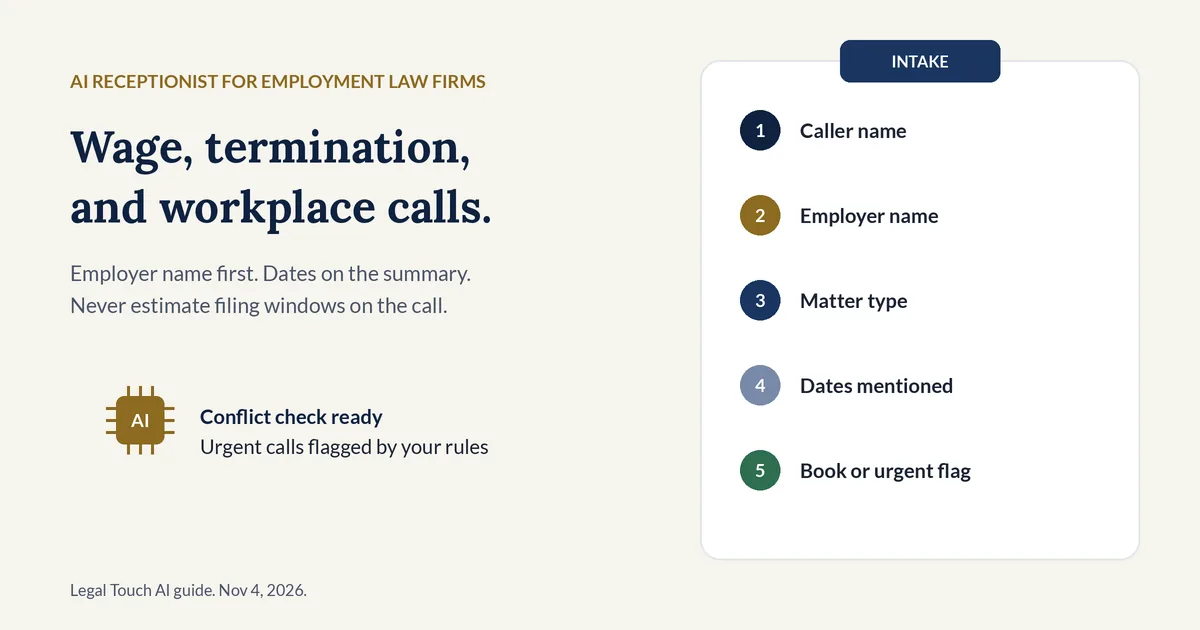
An AI receptionist for employment law firms is software that answers an employment firm's phone, says it is an AI, asks the firm's approved intake questions, collects the employer name for a conflict check, records dates the caller mentions, flags urgent calls by your rules, and books consultations. It never gives legal advice, never predicts results, and never decides conflicts.
On a typical call it does four jobs:
- Greets the caller with an AI disclosure and a recording notice.
- Takes the employer name early so your team can check conflicts before hearing the story.
- Routes the call by your rules: urgent alert, live transfer, booked consultation, or message.
- Sends you a summary with the answers, the recording, and the transcript.
For the full picture of how a call flows from greeting to summary, see our complete guide to how AI receptionists work for small law firms.
Why do employment law firms need every call answered?
Employment law firms need every call answered because wage, termination, and workplace calls often arrive after hours, right after someone is fired or sees a final paycheck. In Clio's 2019 study, 39% of calls to law firms went to voicemail, and 79% of surveyed consumers expected a response within 24 hours.
Those figures are about law firms in general, not employment practices alone. Count your own after-hours and weekend calls for a month. A caller who just lost a job is often shopping several firms the same evening, so the first clear answer and booked consult tends to win the next conversation.
What should an employment law intake call ask?
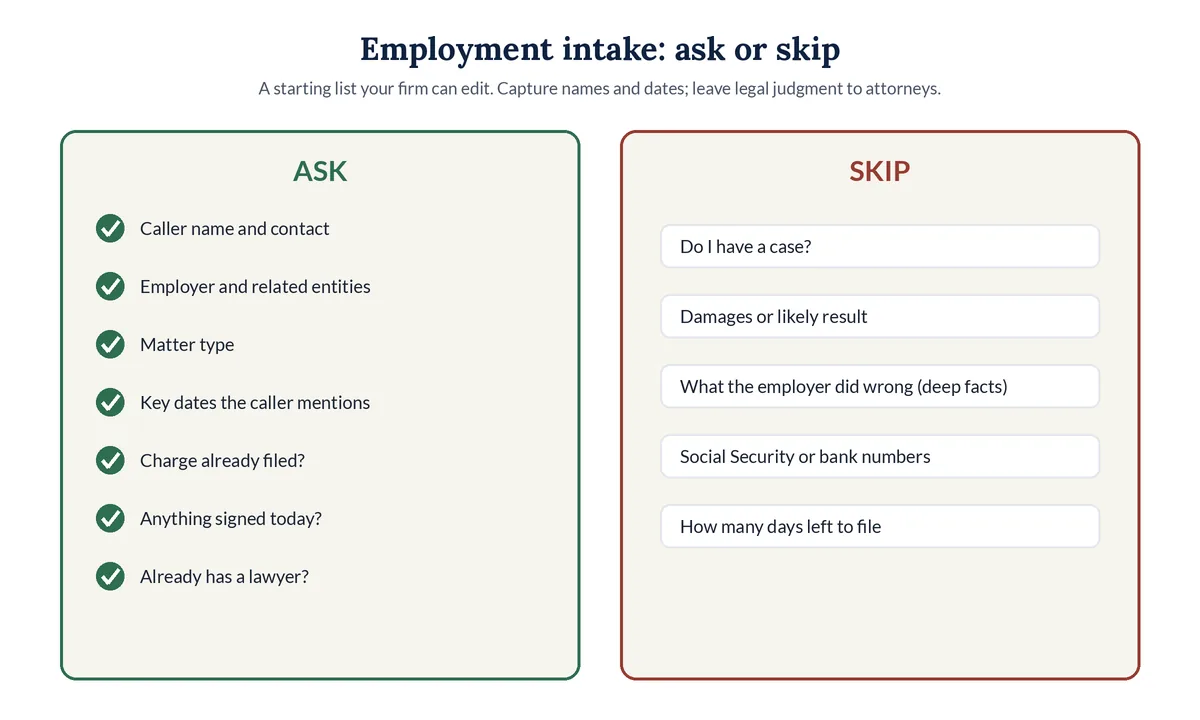
An employment law intake call should ask only what the attorney needs to check conflicts and call back: the caller's name and contact details, the employer name and related entities, the type of matter, key dates the caller mentions, whether a charge or complaint was already filed, whether anything was signed, and whether the caller already has a lawyer.
Intake fields: ask or skip (our recommended starting list)
| Field | Ask on the first call? | Why |
|---|---|---|
| Caller's full name and best phone and email | Ask | Needed for the conflict check and the callback |
| Employer name, and any parent company or related entity the caller knows | Ask | The core of an employment conflict check |
| Supervisors or HR contacts named so far (names only) | Ask, if your firm wants it | Helps the firm spot conflicts and prior contacts |
| Type of matter: wages, termination, workplace problem, contract review, or other | Ask | Matches the call to the right attorney |
| Key dates the caller mentions (termination, last day worked, last paycheck, charge filed, signature deadline) | Ask | Puts dates at the top of the summary for the attorney |
| Already filed with a government agency? Charge or case number if offered | Ask | Avoids duplicate work and flags active filings |
| Already has a lawyer? | Ask | Avoids stepping into another lawyer's matter |
| Was anything signed today (release, severance, NDA)? | Ask | Signals a time-sensitive review without advising on it |
| What the employer did wrong, damages, or "do I have a case?" | Skip | Legal judgment belongs with the attorney after the conflict check |
| Social Security, bank, or card numbers | Skip | Never needed on a first call |
ABA Model Rule 1.18 Comment [4] says a lawyer should limit the initial consultation to only such information as reasonably appears necessary for that purpose. Our guide to screening intake callers without losing good cases covers screening for every practice area, and our law firm intake script templates for an AI receptionist show how to write the questions.
How should an AI receptionist handle employer conflict checks?
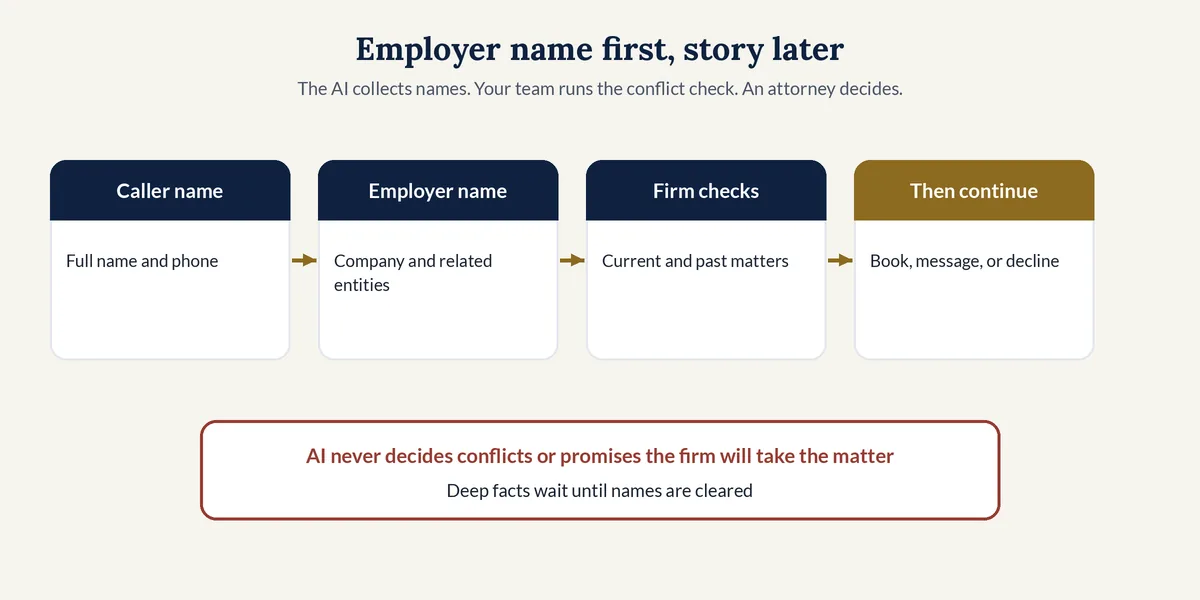
An AI receptionist should ask for the employer early and hold the narrative until names are clear. It should capture the caller, the company, and any related entities your firm lists, then hand those names to staff for the conflict check. The software does not clear or decline conflicts; an attorney or trained staff member does.
A conflict check is a review of a firm's current and past clients and matters to see whether taking on a new person would clash with duties the firm already owes. In employment work the other side is often a company the firm already represents, declined, or faced in a related matter, so the order of questions matters.
Three habits keep the script clean:
- Employer name before the story. Put the company name, and any parent or related entity the caller knows, near the top of the summary.
- Pause before harmful detail. Under ABA Model Rule 1.18(c), information from a prospective client that could be significantly harmful can limit who the firm may later represent. A short, names-first intake limits what any caller can share either way.
- No advice to the other side. If the caller turns out to be the employer, HR, or counsel on a matter you handle, the AI should not discuss the case. Take a short message and flag it for the assigned attorney.
A sample line for your script: "Before we talk about what happened, may I have your full name and the full name of the employer involved? The firm checks those names first to make sure it can help you." For a sibling practice area that also puts names first, see our guide to conflict checks for family law firms. Real estate practices face the same names-first problem with buyers, sellers, agents, and lenders on one deal; see our AI receptionist guide for real estate law firms.
How should an AI receptionist handle deadlines the caller mentions?
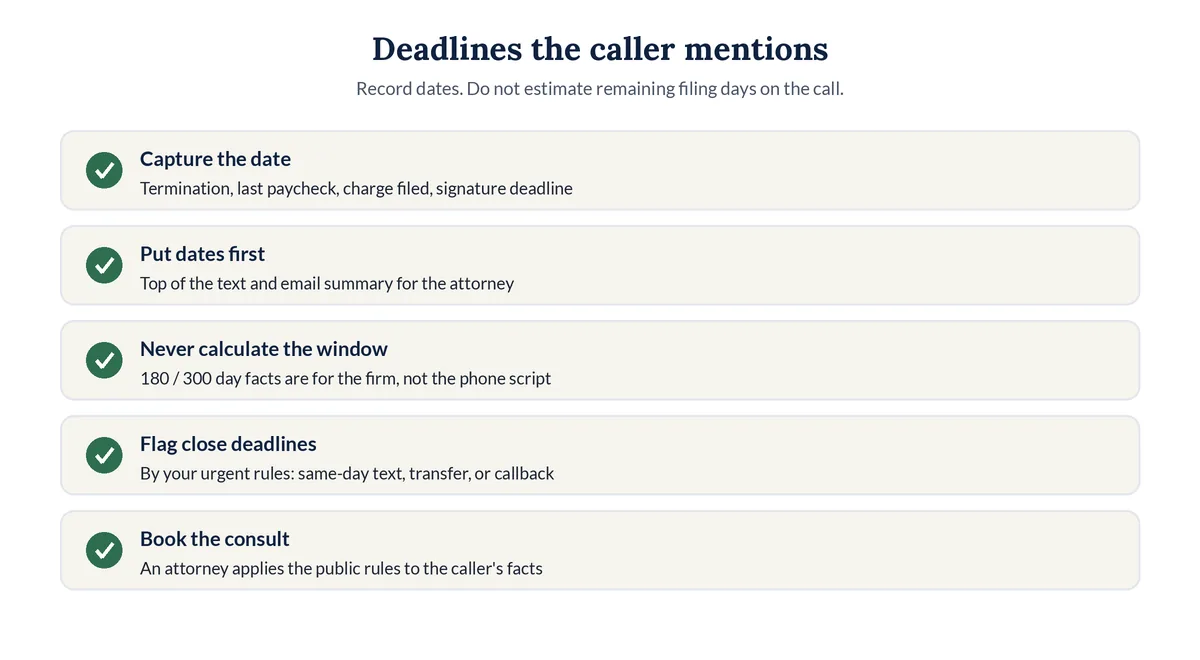
An AI receptionist should record every date the caller mentions, put those dates at the top of the summary, and never tell the caller whether they still have time to file. Figuring out how much time someone has to file a charge is complicated, and that judgment belongs to an attorney, not the phone script.
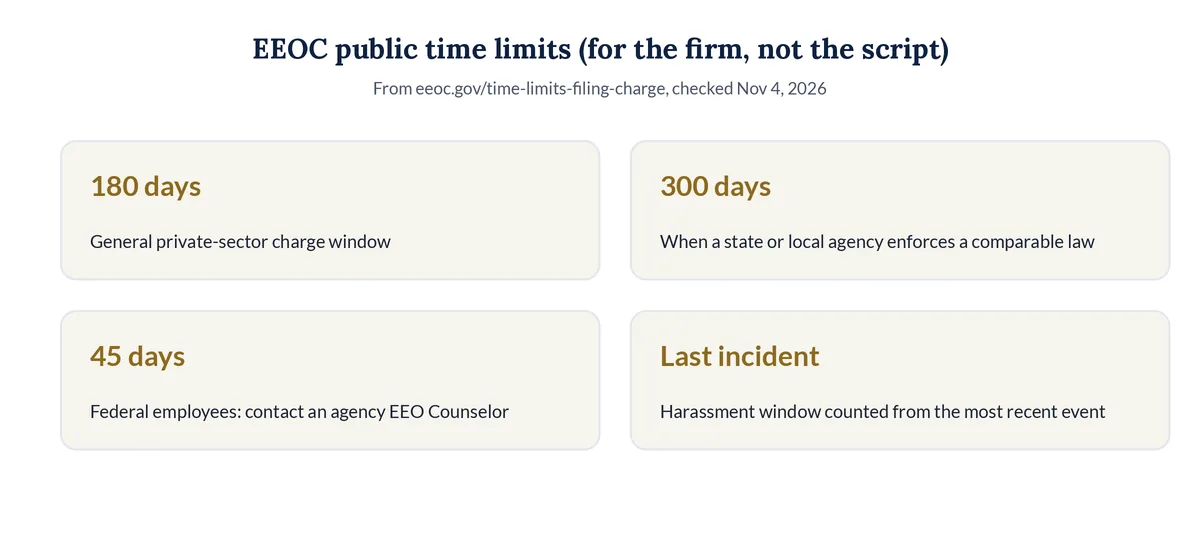
Public facts your firm may care about, from the EEOC's own page (checked Nov 4, 2026):
EEOC charge time limits (public facts; not advice to callers)
| Situation | What the EEOC page says | What the AI should do |
|---|---|---|
| Private-sector charge, general rule | File within 180 calendar days from the day the discrimination took place | Record the date the caller gives; do not calculate remaining days |
| State or local agency enforces a comparable law | Deadline extends to 300 calendar days | Same: record dates and agency names the caller offers |
| Ongoing harassment | File within 180 or 300 days of the last incident | Ask for the most recent date the caller mentions; do not advise |
| Federal employees and applicants | Generally contact an agency EEO Counselor within 45 days | Capture that the caller is a federal worker if they say so; flag for counsel |
| Caller unsure how much time is left | EEOC says to contact a field office soon | Book a consult; never estimate the window on the call |
Sources: EEOC, Time Limits For Filing A Charge. Pulled Nov 4, 2026. State wage and agency deadlines can differ. The AI's job is to capture what the caller says, not to apply these rules.
Which employment law calls should be flagged as urgent?
Your firm decides what is urgent, and the AI follows those rules. Common choices are a severance or release presented for signature today, a government charge deadline the caller says is close, ongoing workplace harm, a final paycheck dispute with an imminent payroll date, or a hearing or mediation the caller says is this week.
Who calls an employment firm, and how to route each call
| Who is calling | What they usually need | A sensible default route |
|---|---|---|
| New caller about unpaid wages or overtime | A consultation | Employer-name-first intake, conflict check, then book a consultation |
| New caller just fired today | Fast screening and a consult | Capture termination date and employer; urgent flag if your rules say so |
| Caller with a severance or release to sign soon | Same-day attorney review | Urgent alert or live transfer during office hours by your rules |
| Caller who says a charge deadline is close | Attorney judgment on timing | Record the dates; urgent flag; do not estimate remaining days |
| Employer, HR, or opposing counsel on your matter | Case contact, not new intake | Short message to the assigned attorney; no case discussion by the AI |
| Current client with a new workplace problem | Their attorney, soon | Urgent alert or detailed message for the assigned attorney |
| Caller with a matter you don't handle | A referral | Kind reply and the referral number you approved |
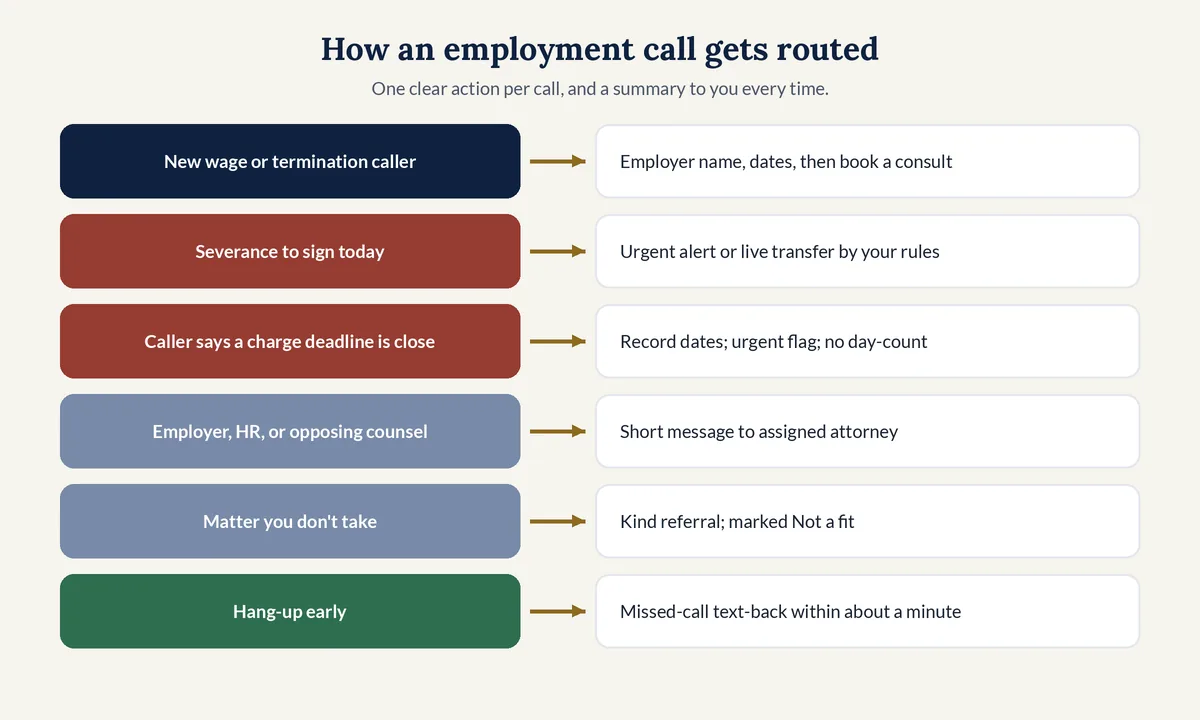
A simple routing plan:
- Imminent signature or charge deadline by your rules: alert the on-call attorney, then transfer if your rules allow and someone picks up.
- New caller, not urgent: book a consultation after the employer name is checked, with dates at the top of the summary.
- Employer, HR, or opposing counsel: take a short message for the assigned attorney without discussing the case.
- Not a fit: share the referral number you approved, and mark the call "Not a fit" in the summary.
What do ethics rules say about AI receptionists for employment law firms?
For employment intake, the ethics risk is often the employer name and the story that follows it. ABA Formal Opinion 512 (July 29, 2024) reminds lawyers who use generative AI to protect confidential information, to treat prospective-client intake carefully under Model Rule 1.18, and to supervise outside helpers under Model Rule 5.3 before a vendor answers the firm's phone.
This is general information, not legal advice. State rules control, and some state bars have their own AI opinions. Points that matter for an employment practice:
- Check the vendor before go-live. Opinion 512 points lawyers to security policies, confidentiality terms, reference checks, and what happens to recordings after you stop using the tool.
- Keep legal answers with lawyers. Opinion 512 says lawyers may not leave it to GAI tools alone to offer legal advice to clients, which includes "do I have a case" on a first call.
- Keep the first call short. Rule 1.18 can protect what a prospective client shares even when the firm never takes the matter, so collect employer names and dates before deep facts.
- Own the script. Model Rule 5.3 calls for reasonable efforts so nonlawyer help, including an AI receptionist, acts in a way compatible with the lawyers' professional obligations when HR or the other side calls.
How do you set up an AI receptionist for an employment law firm?
Setting up an AI receptionist for an employment practice means picking coverage hours, writing an employer-name-first intake, listing the dates to capture, defining urgent flags, connecting the calendar with room for conflict review, forwarding the firm number, and testing termination, wage, and employer-side calls before launch.
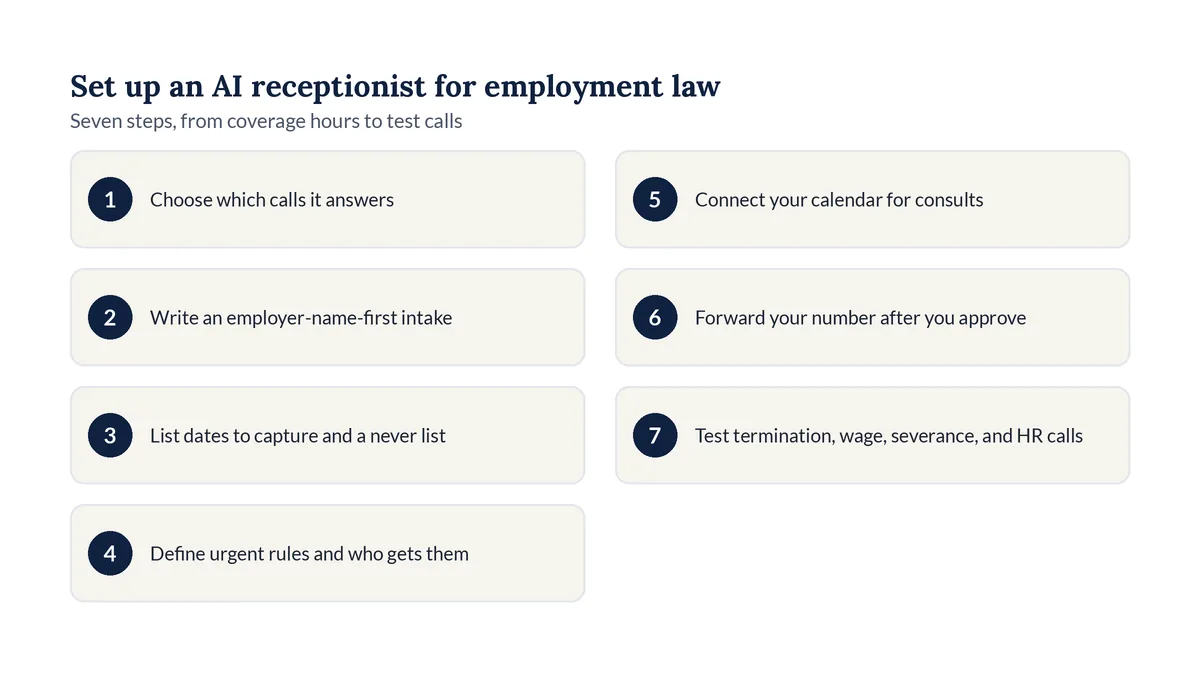
- Choose which calls the AI answers: all calls, overflow, or nights and weekends only.
- Write an employer-name-first intake that collects company names before deep facts.
- List the dates to capture and the topics the AI must never answer, such as "do I have a case?"
- Define urgent calls and which attorney gets the text or transfer for each one.
- Connect your calendar and set consultation times, with room for a conflict check before each one.
- Forward your firm's number to the AI so callers keep dialing the number they know.
- Test a termination call, a wage call, a severance-review call, and a call from an employer or HR contact, then read each summary.
How does Legal Touch AI handle employment law calls?
Legal Touch AI is an AI phone receptionist built for small U.S. law firms, including employment practices that need after-hours coverage. You choose the screening order, including employer name first, and you decide which wage, termination, or workplace calls count as urgent enough for an "URGENT" text, email, or cell ring.
On an employment call you can configure it to:
- Open with disclosure. Callers hear that they are speaking with an AI and that the call is recorded, with the consent option you chose at setup.
- Follow your employer-name-first order. Screening questions run one at a time in plain words, so company names and dates can come before deep facts.
- Transfer during office hours on Done for You plans. It texts you first, then rings your phone; if you miss it by the third ring, it goes back to the caller and books a time.
- Book after hours on Done for You plans. It checks your Google or Outlook calendar and offers two open times.
- Send the packet after every call. You get a short text plus an email with the answers, the recording, and the transcript.
It never gives legal advice, predicts a result, decides conflicts, promises that your firm will take a case, or asks for Social Security numbers, card numbers, or passwords. You keep your number. Script changes happen on request after you approve the wording. See how Legal Touch AI answers a call and Legal Touch AI plans and pricing.
Why we wrote this guide
The Legal Touch AI team set up Legal Touch AI on our own phone lines first. Our own callers are often stressed, and many call after work or on weekends, so we care about how hard calls are handled. On Nov 4, 2026 we read five page-one pages for employment law AI receptionists and answering services. All five mentioned capturing the employer name. Four mentioned conflict checks and deadline language. Only one said it does not give legal advice. Only one cited an ABA rule. None linked to the EEOC's official time-limits page. This guide fills those gaps with public sources and a clear ask/skip list.
What 5 page-one pages covered (our review, Nov 4, 2026)
| Topic | Pages that covered it (of 5) |
|---|---|
| Mentioned capturing the employer name | 5 |
| Mentioned conflict checks | 4 |
| Mentioned EEOC or filing deadlines | 4 |
| Said it does not give legal advice | 1 |
| Cited an ABA Model Rule or opinion by number | 1 |
| Linked to eeoc.gov for time limits | 0 |
| Showed prices or dollar figures | 1 |
Method: we searched "ai receptionist for employment law firms" and "employment law answering service", saved five distinct vendor pages from page-one style results, and counted topics by hand. Competitors are not named here.
Hear it answer a call. Book a 15-minute Legal Touch AI demo and try a termination call and an employer-side call with your own intake questions.
Frequently asked questions
Can an AI receptionist run a conflict check for an employment law firm?
It can gather the employer name and related entities your script asks for, then pause before deep facts. Your staff compares those names to current and past matters. Only an attorney decides whether a conflict exists or whether a consult should be offered.
Should the AI tell a caller how many days they have left to file with the EEOC?
No. Record the dates the caller mentions and put them at the top of the summary. The EEOC's public page describes 180 and 300 calendar day windows, and says figuring out remaining time is complicated. An attorney, not the phone script, applies those facts to a caller.
Can the AI tell a caller whether they have a wage or termination case?
No. It should never predict a result, explain the law, or say whether a claim is strong. It can take down the type of matter, the employer, key dates, and whether anything was signed, then book a consultation so an attorney can answer those questions privately.
What if an employer or HR contact calls a plaintiff-side firm?
Keep the first call short and names-first so your team can spot it. Take a message for the assigned attorney without discussing any employee's case. If your firm also represents employers, set a separate script path for employer-side intake so the AI does not mix the two.
Is an employment intake call with an AI receptionist confidential?
Plan for it to be treated as confidential intake. Model Rule 1.18 can cover what a prospective client shares even when no engagement follows, and Opinion 512 tells lawyers to review a vendor's security and confidentiality terms. Keep the first call to names, dates, and matter type until conflicts are cleared.
Legal Touch AI is not a law firm and does not provide legal advice. This article is general information, not legal advice about employment law or professional ethics rules. Using Legal Touch AI does not create an attorney-client relationship. Check your state's rules of professional conduct and recording laws before you put any AI on your phone line.
Sources (checked Nov 4, 2026)
- U.S. Equal Employment Opportunity Commission, Time Limits For Filing A Charge: https://www.eeoc.gov/time-limits-filing-charge
- Clio, Legal Trends Report press release (Oct 21, 2019): https://www.clio.com/about/press/clios-legal-trends-report-reveals-law-firms-struggle-to-respond-to-client-inquiries/
- ABA Formal Opinion 512, Generative Artificial Intelligence Tools (July 29, 2024): https://www.americanbar.org/content/dam/aba/administrative/professional_responsibility/ethics-opinions/aba-formal-opinion-512.pdf
- ABA Model Rule 1.18, Duties to Prospective Client: https://www.americanbar.org/groups/professional_responsibility/publications/model_rules_of_professional_conduct/rule_1_18_duties_of_prospective_client/
- ABA Model Rule 1.18, Comment: https://www.americanbar.org/groups/professional_responsibility/publications/model_rules_of_professional_conduct/rule_1_18_duties_of_prospective_client/comment_on_rule_1_18_duties_of_prospective_client/
- Legal Touch AI, how it works: https://legaltouchai.com/how-it-works/
- Legal Touch AI, pricing: https://legaltouchai.com/pricing/